Start with Your Chair
Adjust seat height so your feet rest flat on the floor. If your feet do not reach, consider a footrest. Set seat depth so there is a small gap between the seat edge and the back of your knees.
A step-by-step educational guide for adjusting your office workspace. Follow each item at your own pace — this page provides information only and does not assess your posture or health.
Work through these adjustments one at a time. Each item is optional and can be revisited whenever your setup changes.
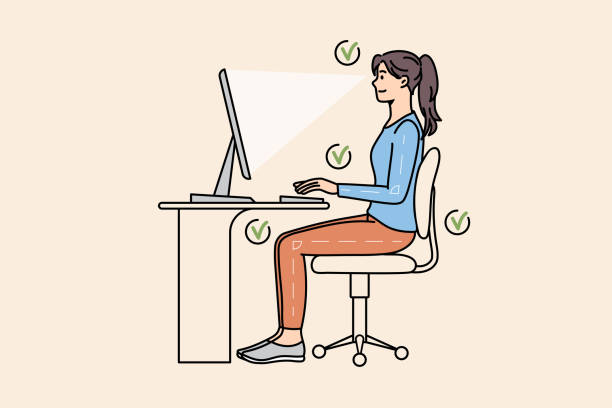
A calm, ordered approach to configuring your desk. No rush — take breaks between steps if needed.
Adjust seat height so your feet rest flat on the floor. If your feet do not reach, consider a footrest. Set seat depth so there is a small gap between the seat edge and the back of your knees.
Place the screen directly in front of you, about an arm's length away. The top of the screen should be at or slightly below eye level. Tilt the monitor slightly upward if needed to reduce neck tilt.
Keep both close to your body to avoid reaching. Wrists should remain straight and relaxed while typing. Consider a wrist rest only if it feels natural — it is not required.
Work for 10–15 minutes and notice any areas of tension. Make small adjustments rather than large changes. Save major repositioning for break periods.
Desk configurations shift with seasons, equipment changes, and work habits. Periodic review keeps your workspace aligned with your comfort needs.
Spend one minute each week confirming monitor height and chair position remain as configured.
If using a laptop, consider an external keyboard and raised stand to avoid prolonged downward neck angle.
Reduce screen glare with adjusted blinds or indirect lighting. Some people find that less glare makes it easier to maintain comfortable posture.
Once your desk is configured, explore example work rhythm ideas that may complement your setup.
Work Rhythm Flow